Scan
Capture physical artwork and see the material position as you plan a cut.
Scan · print · cut
From artwork to finished product in under a minute*
Scan it. Print it. Cut it.
Turn photographs, drawings and illustrations into personalised stickers or PU heat transfers in a compact print-and-cut workflow. The xTool C1 brings scanning, full-colour printing and precision cutting together.
For simple designs with artwork and materials ready, the core scan, print and cut demonstration can take under a minute. Preparation, material choice, print coverage and applying a heat transfer can add time.
Demonstrations are in person in South East London and depend on machine availability. The current xTool booking form does not yet list the C1.
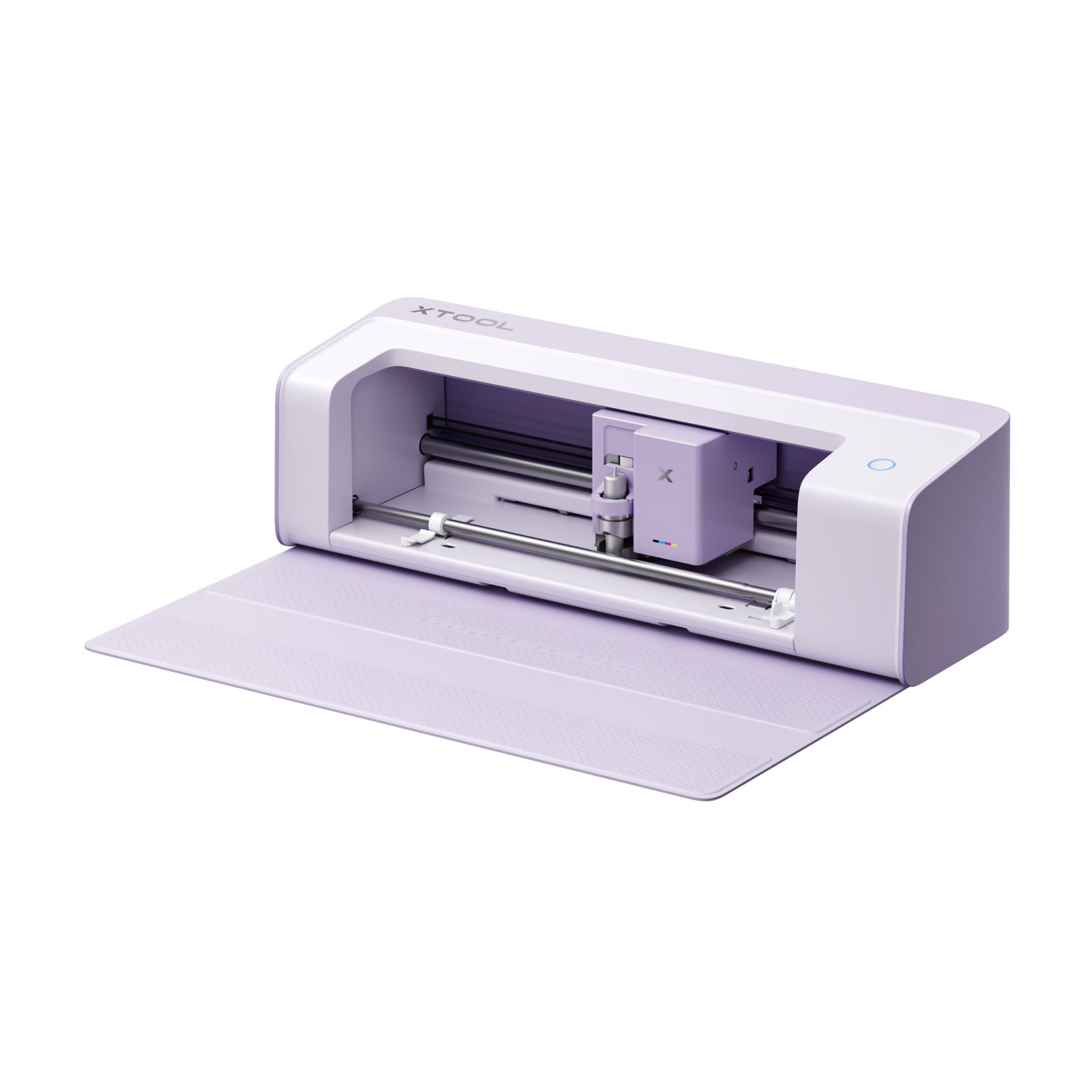
Your artwork, ready to make
Start with a photograph, a child's drawing, a hand-drawn illustration or your own artwork. Scan a physical image and bring it into a digital design workflow without having to recreate the whole image from scratch.
Capture physical artwork and see the material position as you plan a cut.
Print full-colour designs on compatible sticker, transfer and craft materials.
Cut around your printed design to make stickers, transfers and other finished shapes.
It's a practical link between traditional drawing and illustration and modern digital making. Material compatibility and preparation still matter.
What can you make?

Make personalised stickers from photographs, drawings, illustrations and digital artwork on compatible printable materials.
Useful for packaging, events, merchandise and small brand ideas.

Print and cut suitable PU transfer materials for application to compatible fabrics with a heat press.
Explore T-shirts, tote bags and other clothing products.

Bring original drawings and illustrations into a print-and-cut workflow without recreating the artwork from scratch.
A route from sketchbook work to physical products.

Develop product labels, decorative designs, small merchandise collections and personalised items.
Try ideas in small quantities before planning a larger run.
Application images courtesy of xTool. Examples are illustrative; suitable materials and results vary.
Bring your own artwork
Have a drawing, photograph or design you'd like to turn into something real? Explore the process from capturing your original image to producing a printed and cut design.
A simple illustration could become a notebook sticker, a personalised label or a heat transfer ready for a T-shirt. Bring an image to discuss when you ask about a demonstration.
Explore a creative side hustle
You don't need years of technical experience to begin testing product ideas. If you draw, paint, illustrate or take photographs, the C1 offers a way to explore turning those existing creative skills into products.
At PM Makerspace, we help people build practical skills and confidence so their creative interests can become more self-sustaining. We can talk through materials, production methods and equipment for starting or growing a side hustle.
Book a creative consultationYes. The C1's scanning features can capture physical artwork for a print-and-cut workflow. The result depends on the artwork, material and setup.
Photographs and other images can be used to create personalised printed stickers on compatible materials.
The C1 can print and cut suitable PU heat transfer materials. A separate compatible heat press is used to apply the finished transfer to a garment.
No professional design experience is needed to explore the machine. Some image preparation may be useful depending on the artwork and the finished product.
Ask PM Makerspace about an in-person demonstration in South East London. C1 appointments depend on the machine being available and appearing as a selectable option in the xTool booking system.
Yes. We offer creative consultations and practical training for people interested in starting or developing a side hustle.
For official machine information and current compatible materials, see xTool's C1 product page .